
How To Embed Systeme Pop-Up in Wordpress
Let's walk through the steps on how to embed a pop-up form from Systeme to your WordPress site.
Jump To:
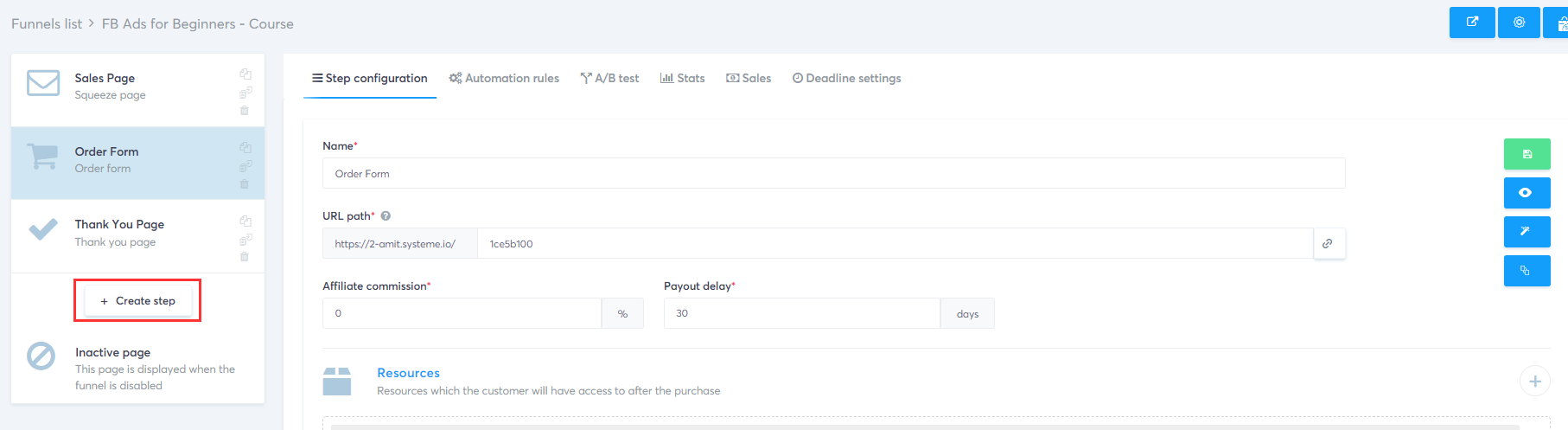
Step 1: Create Step under Marketing Funnels
Click on the marketing funnel of your choice and then click on create step.
Step 2: Choose Type
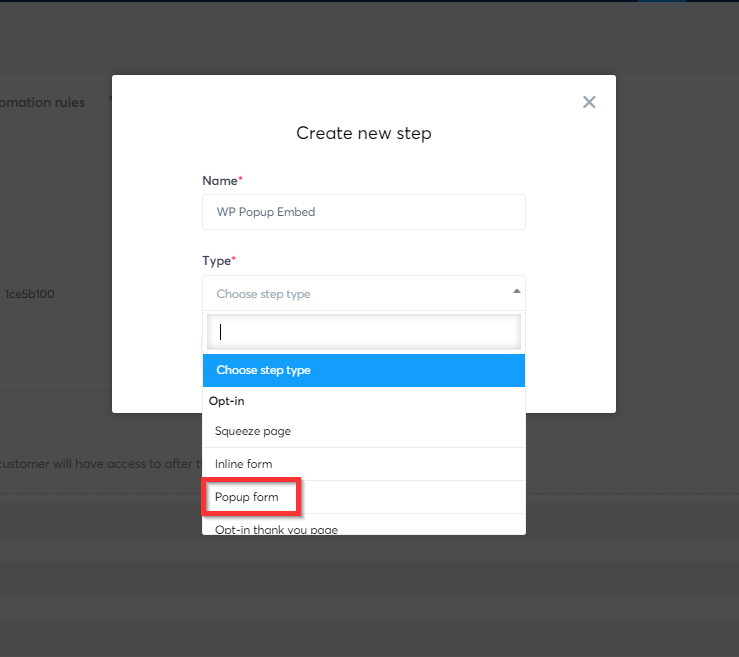
On this step give your pop-up form a name and under Choose step type > select Popup Form.
Step 3: Choose Template
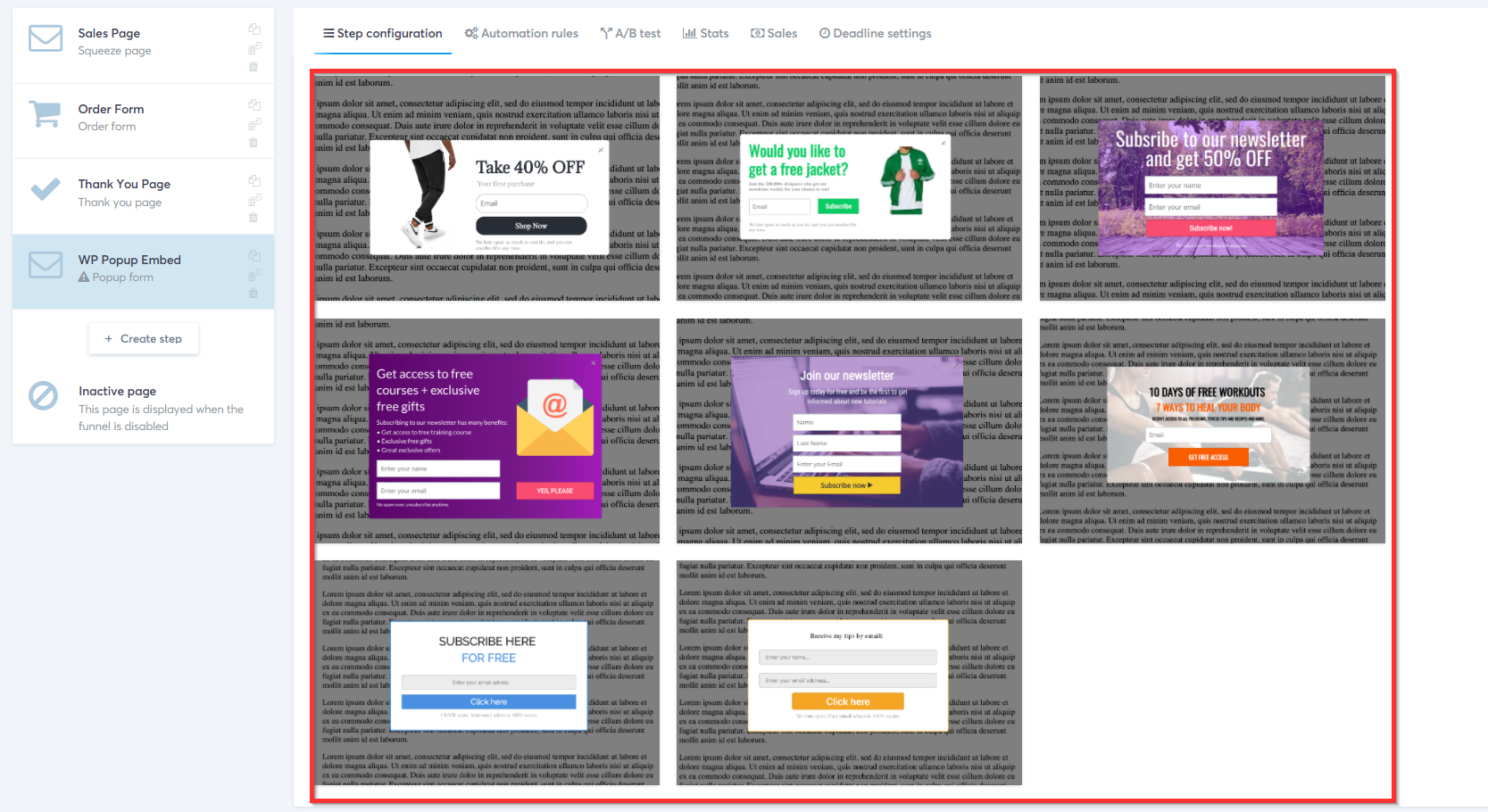
Now choose one of the pre-built templates.All templates are completely customizable.
💡 Note
As of the writing of this blog post, you cannot create a pop-up from scratch.
Step 4: Get Code
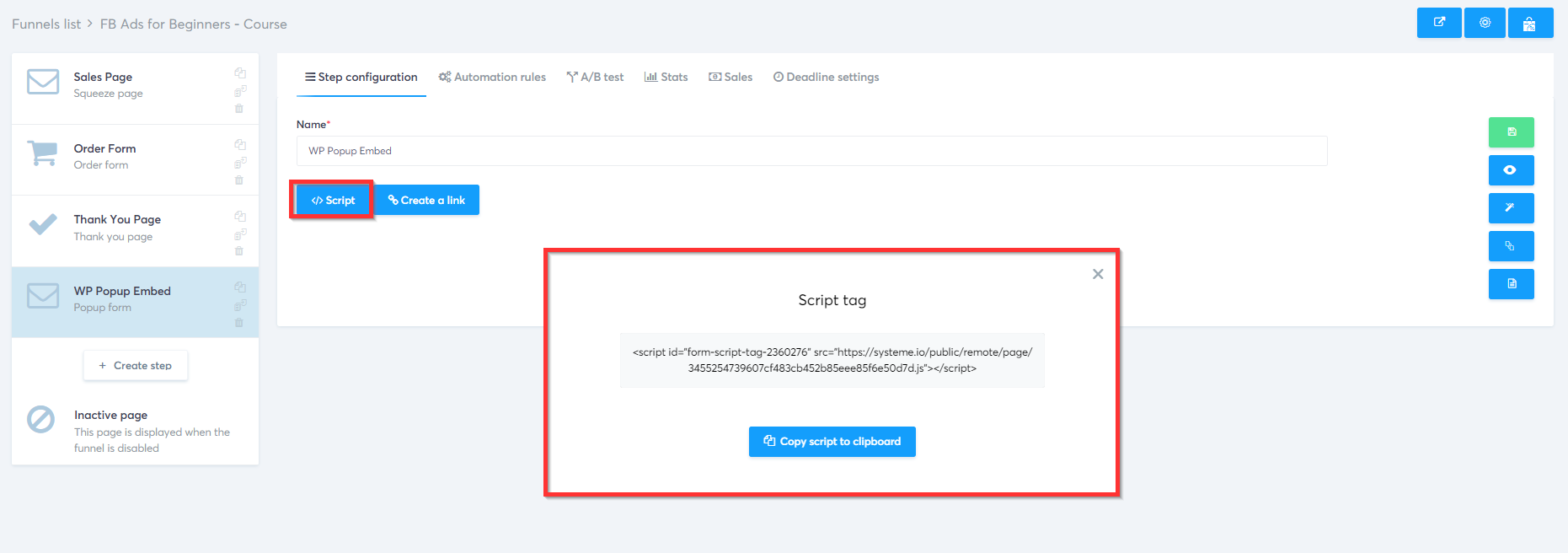
The final step is to get the script code to embed in your WordPress site.
Explainer Video: 2 min
Watch this two-minute video on how to embed a Pop-up on your WordPress site.

You are about to enter a world you never thought was even possible to create..
© Systeme.io


